
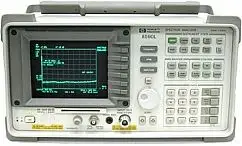
Keysight (Agilent HP) 8596E Repair Service
Product model
8596E spectrum analyzer 9kHz-12.8GHzServices
Description
Repair prices
8596E Specifications – click to expand
8596E Specifications
- Portable spectrum analyzer
- Resolution bandwidths to 1 kHz (30 Hz with Option 130 on E-series)
- HP-IB, RS-232 and parallel interfaces available by option
| Specification | Value |
|---|---|
| Frequency range | 9 kHz to 12.8 GHz |
8596E Options – click to expand
8596E Options
301 = TV sync. trigger capability, fast time domain sweeps, AM/FM demodulator, and Analog + display (Combination of Options 101 & 102)
HP / Agilent 8596E Error Messages – click to expand
HP / Agilent 8596E Error Messages
The Agilent 8596E portable spectrum analyzer (9 kHz to 12.8 GHz) reports faults as on-screen messages. Hardware (H) messages point to a failed board; user (U) messages mean a setting or cable issue; (M) messages are information only.
Try this first: connect CAL OUT to the input with the supplied cable and run CAL FREQ & AMPTD and CAL YTF, then press CAL STORE. Many messages clear after a good self-cal. If an (H) message keeps returning, the 8596E needs repair.
8596E notes
- The 8596E has a YIG-tuned filter (preselector). Run CAL YTF after CAL FREQ & AMPTD, using 100 MHz COMB OUT cabled to the input.
- With Option 004 (precision frequency reference) the 8596E shows OVEN COLD for the first 5 minutes. That is normal.
- Option 010 adds a 9 kHz to 2.9 GHz tracking generator to the 8596E; LO UNLVL can appear with Option 009 or 010.
- The rear-panel 10 MHz REF OUT must be jumpered to EXT REF IN (or an external reference connected), or the 8596E shows REF UNLOCK.
Most common 8596E hardware messages
| Message | Type | Meaning | Likely assemblies |
|---|---|---|---|
| CAL: SPAN SENS FAIL | H | Main-coil span calibration failed: it could not find the 0 Hz, 300 MHz and 600 MHz signals in a 750 MHz span. Spurious signals can also cause it. | A3A7 YTO, A7, A9, A16 |
| USING DEFAULTS: _ _ _ | H | Some memory locations failed their check at power-on. Often a dead memory backup battery. | A16 processor/video (battery) |
| FAIL: xxxx xxxxxxxxxx | H | Power-up circuit test failure on the A16 processor board. See the FAIL code section below. | A16, A7, A17 memory card, A25, card-cage boards |
| FREQ UNCAL | U/H | YTO is more than 20 MHz off the frequency it should be on. Run CAL FREQ and CAL STORE; if it stays, suspect the YTO loop or an unlocked reference/sampler on A25. | A3A7 YTO, A7 analog interface, A25 counter lock |
| CAL SIGNAL NOT FOUND | U/H | Self-cal could not find the 300 MHz CAL OUT signal (must be within 50 MHz of 300 MHz and above −45 dBm). Check the CAL cable first. With default cal data loaded, the −37 Hz passcode bypasses this check. | A7 analog interface, A9 third converter |
| ADC-2V FAIL | H | At preset the ADC reading of the +2 V reference on the A16 processor/video board is out of limits. Often caused by a bad ±15 V supply or a card-cage board pulling an A16J1 line high. | A8 power supply, A15 motherboard, A16 processor/video, card-cage boards |
| CAL YTF FAILED | U/H | The YIG-tuned filter calibration could not finish. Connect 100 MHz COMB OUT to the input with a short, low-loss cable, run CAL FREQ & AMPTD, then CAL YTF again. | A3A8 switched YIG-tuned filter, A7 |
| COMB SIGNAL NOT FOUND | U/H | The 100 MHz comb signal is missing during CAL YTF. Check the comb cable; with COMB GEN ON the 100 MHz line should rise to about +12 dBm. | A3A1 comb generator, A3A11 step-recovery diode, A3A12 attenuator, J2 |
| ADC-GND FAIL | H | At preset the ADC ground reading on A16 is out of limits. Same usual suspects as ADC-2V FAIL: ±15 V supplies or a board loading the A16J1 pins. | A7 analog interface, A8 power supply, A15 motherboard, A16 processor/video, card-cage boards |
| REF UNLOCK | M/H | The A9 third converter oscillator is not locked to 10 MHz. Check the rear-panel jumper from 10 MHz REF OUT to EXT REF IN first, then the reference level and cables. | A22 precision reference (Option 004), A25 counter lock, W17/W18 cables |
| SMPLR UNLCK | U/H | Sampling oscillator is not working correctly. Check the external reference connection, then the frequency diagnostics. | A3A7 YTO, A25 counter lock |
| CAL: GAIN FAIL | H | During CAL AMPTD the signal at the ADC stays too low even with the reference-level DAC at maximum. Trace the signal from the RF input through the IF to the log amp. | A3 front end, A7, A9, A11, A12, A13, A14 |
Complete 8596E hardware and calibration message list
| Message | Type | Meaning | Likely assemblies |
|---|---|---|---|
| ADC-2V FAIL | H | At preset the ADC reading of the +2 V reference on the A16 processor/video board is out of limits. Often caused by a bad ±15 V supply or a card-cage board pulling an A16J1 line high. | A8 power supply, A15 motherboard, A16 processor/video, card-cage boards |
| ADC-GND FAIL | H | At preset the ADC ground reading on A16 is out of limits. Same usual suspects as ADC-2V FAIL: ±15 V supplies or a board loading the A16J1 pins. | A7 analog interface, A8 power supply, A15 motherboard, A16 processor/video, card-cage boards |
| ADC-TIME FAIL | H | Time between ADC readings is too long. If the unit will not sweep but everything else works, A16 is the likely cause. | A16 processor/video |
| φ LOCK OFF | U/H | YTO is tuning slowly. Normal for a moment during CAL FREQ, preset or a frequency change. If it stays on, run CAL FREQ. | A3A7 YTO, A9 third converter, A25 counter lock |
| FREQ UNCAL | U/H | YTO is more than 20 MHz off the frequency it should be on. Run CAL FREQ and CAL STORE; if it stays, suspect the YTO loop or an unlocked reference/sampler on A25. | A3A7 YTO, A7 analog interface, A25 counter lock |
| REF UNLOCK | M/H | The A9 third converter oscillator is not locked to 10 MHz. Check the rear-panel jumper from 10 MHz REF OUT to EXT REF IN first, then the reference level and cables. | A22 precision reference (Option 004), A25 counter lock, W17/W18 cables |
| SMPLR UNLCK | U/H | Sampling oscillator is not working correctly. Check the external reference connection, then the frequency diagnostics. | A3A7 YTO, A25 counter lock |
| LO UNLVL | U/H | LO distribution amplifier is not leveled. Appears on units with Option 009 and/or Option 010. | A10 LO distribution amplifier / tracking generator control |
| CAL SIGNAL NOT FOUND | U/H | Self-cal could not find the 300 MHz CAL OUT signal (must be within 50 MHz of 300 MHz and above −45 dBm). Check the CAL cable first. With default cal data loaded, the −37 Hz passcode bypasses this check. | A7 analog interface, A9 third converter |
| CAL: GAIN FAIL | H | During CAL AMPTD the signal at the ADC stays too low even with the reference-level DAC at maximum. Trace the signal from the RF input through the IF to the log amp. | A3 front end, A7, A9, A11, A12, A13, A14 |
| CAL: SPAN SENS FAIL | H | Main-coil span calibration failed: it could not find the 0 Hz, 300 MHz and 600 MHz signals in a 750 MHz span. Spurious signals can also cause it. | A3A7 YTO, A7, A9, A16 |
| CAL: FM SPAN SENS FAIL | H | Could not set the FM coil span sensitivity during CAL FREQ. Run CAL FREQ again. | A3A7 YTO, A7 analog interface |
| CAL: MAIN COIL SENSE FAIL | H | Could not set the main coil span sensitivity. Load DEFAULT CAL DATA (−37 Hz passcode) and run CAL FREQ again. | A3A7 YTO, A7 analog interface |
| CAL: ZERO FAIL | H | Could not set the main coil tuning sensitivity. Load DEFAULT CAL DATA and run CAL FREQ again. | A3A7 YTO, A7 analog interface |
| CAL: RES BW AMPL FAIL | H | During CAL AMPTD a resolution bandwidth filter had more than 2.2 dB loss compared to the 3 kHz filter. The routine stops on the failed bandwidth. | A7, A11/A13 bandwidth filters, A14 log amp |
| CAL: NBW gain / width / 200 Hz notch failed | H | A narrow resolution bandwidth (including 200 Hz) has the wrong gain, width or shape during CAL AMPTD. | A130 narrow RBW board |
| CAL: DATA NOT STORED CAL AMP NEEDED | U/H | You tried to store default cal data. Run CAL FREQ and CAL AMPTD and CAL YTF first, then CAL STORE. | A16 processor/video |
| CAL: USING DEFAULT DATA | M | CAL AMPTD did not finish, so default correction factors are in use. | |
| USING DEFAULTS self cal needed | U | Default correction factors are loaded. Run CAL FREQ & AMPTD and CAL YTF. | |
| USING DEFAULTS: _ _ _ | H | Some memory locations failed their check at power-on. Often a dead memory backup battery. | A16 processor/video (battery) |
| CAL: cannot execute CALAMP enter: 0 dB PREAMP GAIN | U/H | External preamp gain must be 0 dB before CAL AMPTD. If it is already 0 dB, suspect A16 RAM. | A16 processor/video |
| CAL YTF FAILED | U/H | The YIG-tuned filter calibration could not finish. Connect 100 MHz COMB OUT to the input with a short, low-loss cable, run CAL FREQ & AMPTD, then CAL YTF again. | A3A8 switched YIG-tuned filter, A7 |
| Comb harmonic at _ _ GHz NOT found | U/H | CAL YTF could not find a comb harmonic at the frequency shown. Check the 100 MHz COMB OUT cable to the input. | A3A8 YIG-tuned filter, A7 |
| COMB SIGNAL NOT FOUND | U/H | The 100 MHz comb signal is missing during CAL YTF. Check the comb cable; with COMB GEN ON the 100 MHz line should rise to about +12 dBm. | A3A1 comb generator, A3A11 step-recovery diode, A3A12 attenuator, J2 |
| MIXER BIAS CAL FAILED | H | During CAL MXR the comb signal was not found at center screen. | A3A1 comb generator, A3A11, A3A12, J2 |
| LOST SIGNAL | U | The 100 MHz COMB OUT cable was bad or came loose during CAL YTF. | A7 analog interface |
| RF PRESEL ERROR / RF PRESEL TIMEOUT | H | The preselector peak routine could not run. Make sure a signal is connected to the RF input. | A7, A3A8 YIG-tuned filter |
| CONF TEST FAIL | U/H | The confidence test failed; another message names the failed check. Connect CAL OUT, run CAL FREQ & AMPTD, and test again. | |
| POS-PK FAIL | H | Confidence test: the positive-peak detector failed. | A16 processor/video |
| SAMPLE FAIL | H | Confidence test: the sample detector failed. | A16 processor/video |
| VID-BW FAIL | H | Confidence test: the video bandwidths are not reducing the noise as they should. | A14 log amp/detector, A16 |
| RES-BW NOISE FAIL | H | Confidence test: the noise floor did not drop when stepping to a narrower resolution bandwidth. Loose IF cover screws can cause it. | A11/A13 bandwidth filters, A7 control lines |
| RES-BW SHAPE FAIL | H | Confidence test: a resolution bandwidth (10 kHz to 3 MHz) is more than 20% off its nominal 3 dB width. | A7, A11/A13 bandwidth filters |
| STEP GAIN/ATTEN FAIL | H | Confidence test: the 10 dB IF step gains did not raise the noise with each reference level step. | A12 amplitude control, A7 control lines |
| FAIL: xxxx xxxxxxxxxx | H | Power-up circuit test failure on the A16 processor board. See the FAIL code section below. | A16, A7, A17 memory card, A25, card-cage boards |
| INVALID SCRMOVE | H | Possible hardware failure. Remove the unit from the bus and preset. | Any internal assembly |
| SYMTAB EMPTY / EMPTY DLP MEM | U | User-defined functions and personalities in memory were deleted. If it shows at every power-up, suspect hardware. | A16 processor/video |
| Memory Overflow: ERASE DLP MEM and reload | U | Too many downloadable programs or user items loaded. Use DISPOSE USER MEM, then reload. | A16 processor/video |
| OVEN COLD | M | Shown for 5 minutes after power-on on units with the Option 004 precision reference. It is a timer only; the oven temperature is not measured. | A22 precision frequency reference |
| TG UNLVL | U/H | Tracking generator unleveled: power set out of range, span beyond the generator range, or bad TG cal data. | Tracking generator assemblies |
| TG SIGNAL NOT FOUND | U | During CAL TRK GEN no signal was seen; check the cable from RF OUT to the input. | A7A1, A24 tracking generator |
| Gate card not calibrated | U/H | Time gating (Option 105) needs CAL AMPTD with nothing connected to GATE TRIGGER INPUT. | A105 gated video board |
| Cannot engage phase lock with current CAL FREQ data | U | Run CAL FREQ before turning on phase lock. | A9 third converter |
| MEAS UNCAL | U | Sweep time, span and bandwidth settings make the measurement uncalibrated. Press AUTO COUPLE, AUTO ALL. | |
| CAL: PASSCODE NEEDED / PASSCODE NEEDED | M/U | The function needs the service passcode (center frequency −37 Hz). |
8596E power-up FAIL codes
A message like FAIL: DF40 0625C1F72D means the 8596E processor (A16) found a circuit fault at power-up or preset. The first 4 hex digits match the 16 LEDs on the edge of A16 and point to the failed circuit. The 10-digit part is three codes: I/O address bus (2 digits), I/O data bus (4 digits) and A16 video RAM (4 digits). Convert each hex digit to binary to find the failed line.
| First 4 digits (bit) | A16 LED | Circuit | A16 part |
|---|---|---|---|
| 1st digit, 8 | 16 | Video RAM | U305, U306 |
| 1st digit, 4 | 15 | I/O bus address | U18 |
| 1st digit, 2 | 14 | CPU | U12 |
| 1st digit, 1 | 13 | 68230 timer/port | U57 |
| 2nd digit, 8 | 12 | I/O bus (odd byte) | U2 |
| 2nd digit, 4 | 11 | I/O bus (even byte) | U3 |
| 2nd digit, 2 / 3rd digit, 8 | 10 / 8 | User RAM | U5 |
| 2nd digit, 1 / 3rd digit, 4 | 9 / 7 | User RAM | U22 |
| 4th digit, 8 | 4 | ROM (odd B) | U6 |
| 4th digit, 4 | 3 | ROM (even B) | U23 |
| 4th digit, 2 | 2 | ROM (odd A) | U7 |
| 4th digit, 1 | 1 | ROM (even A) | U24 |
A video RAM code means the A16 board itself is bad. For I/O bus address or data codes, power down and remove the related boards one at a time; if the code clears, the last board removed is the fault, otherwise suspect A16.
8596E user and setup messages (U)
These mean a setting, cable, card or remote command problem, not a hardware fault.
| Area | Messages |
|---|---|
| Memory card | INVALID CARD, INVALID CARD: BAD MEDIA / DATA ERROR / DIRECTORY / NO CARD / TYPE, No card found, INVALID FILE: NO ROOM, File type incompatible |
| Remote programming | COMMAND ERROR, PARAMETER ERROR, INVALID ITEM, INVALID VALUE PARAMETER, INVALID ENTER FORMAT, INVALID OUTPUT FORMAT, INVALID BLOCK FORMAT: IF STATEMENT, INVALID COMPARE OPERATOR, INVALID REPEAT MEM OVFL, INVALID REPEAT NEST LEVEL, INVALID ACTDEF, INVALID VARDEF, INVALID KEYNAME, INVALID KEYLBL, UNDF KEY, SOFTKEY OVFL |
| Traces, states and files | INVALID SAVE REG, INVALID REGISTER NUMBER, INVALID TRACE, INVALID TRACE NAME, INVALID TRACENAME, INVALID RANGE: Stop < Start, INVALID START INDEX, INVALID STOP INDEX, INVALID STORE DEST, INVALID FILENAME, INVALID <file name> NOT FOUND, INVALID CHECKSUM: USTATE, INVALID WINDOW TYPE, INTERNAL LOCKED, TABLE FULL, No points defined, Trace A is not available, Factory DLP, not adaptable |
| Interface | INVALID HP-IB ADRS/OPERATION, INVALID HP-IB OPERATION REN TRUE, INVALID RS-232 ADRS/OPERATION |
| Measurements | Cannot reach N dB points, Too many signals with valid N dB points, Require 1/3/4 signals > PEAK EXCURSION above THRESHOLD, Signals do not fit expected % AM / TOI pattern, SIGNAL CLIPPED, SETUP ERROR, Marker Count Reduce SPAN, Marker Count Widen RES BW, Stop at marker not available with negative detection, INVALID DET: FM or TV option only, Required option not installed, Function not available in current Mode / with analog display |
| Time gating | Check trigger input, Waiting for gate input, Verify gate trigger input is disconnected before CAL AMPTD |
Hardware message on your 8596E? Analyzer Repair Inc. repairs and calibrates the HP / Agilent 8596E in-house in Cocoa, Florida. Tell us the message you see; estimates are free once the unit is in our lab. Contact us for service.
Message list based on the Agilent 8590 Series Assembly-Level Repair Service Guide (Chapter 14) and the 8590 E-Series and L-Series User's Guide.
HP / Agilent 8596E Replaceable Parts – click to expand
HP 8596E Replaceable Assemblies and Part Numbers
Assembly-level HP / Agilent replacement part numbers for the 8596E, taken from the 8590 Series assembly-level service guide. Parts marked with an option are only fitted to units that have that option. "Exchange" numbers are rebuilt units traded for your old assembly.
| Reference | Assembly | HP part number | Option |
|---|---|---|---|
| A1A1 | Keyboard | 08590-60201 | |
| A1A2 | Rotary Pulse Generator (old style) | 0960-0745 | |
| A1A2 | Rotary Pulse Generator (new style) | 1990-1525 | |
| A1R1 | Volume-Intensity Dual Pot Assembly | 08590-60133 | |
| A2 | Display | 08590-60377 | |
| A3A1 | Comb Generator | 08592-60098 | |
| A3A1A1 | Comb Generator Board (part of A3A1) | 08569-60026 | |
| A3A3 | Low-Pass Filter | 0955-0420 | |
| A3A4 | Second Converter | 5086-7958 | |
| A3A5 | Input Attenuator | 33321-60037 | |
| A3A6 | Dual Mixer | 5086-7952 | |
| A3A7 | YIG-Tuned Oscillator (YTO) | 5086-7903 | |
| A3A8 | Switched YIG-Tuned Filter (SYTF) | 5086-7880 | |
| A3A9 | Bandpass Filter Assembly | 9135-0252 | |
| A3A10 | Directional Coupler | 0955-0098 | |
| A3A11 | Step Recovery Diode | 0955-0149 | |
| A3A12 | 3 dB Attenuator | 0955-0412 | |
| A3A13 | Isolator | 0955-0204 | |
| A3A14 | LO Distribution Amplifier (LODA) | 5086-7744 | |
| A3A15 | Tracking Generator | 5086-7917 | |
| A3A15 | Tracking Generator Exchange | 5086-6917 | |
| A3A16 | Output Attenuator | 0955-0679 | |
| A7 | Analog Interface | 08595-60022 | |
| A8 | Power Supply | 5062-8229 | |
| A8 | Power Supply Exchange | 08590-69005 | |
| A9 | Third Converter | 08593-60062 | |
| A10 | LO Distribution Amplifier (LODA) Control | 5062-8232 | Option 009 |
| A10 | Tracking Generator Control | 5063-0635 | Option 010 |
| A11 | Bandwidth Board | 08590-60398 | |
| A12 | Amplitude Control Board | 08590-60105 | |
| A13 | Bandwidth Board | 08590-60398 | |
| A14 | Log Amplifier Board | 08590-60386 | |
| A15 | Motherboard | 08591-60062 | |
| A16 | Processor Board | 08590-60416 | |
| A16A1 | 2X Memory Board | 08590-60399 | |
| A16A1BT1 | Battery | 1420-0394 | |
| A17 | Memory Card | 08590-60396 | |
| A22 | 10 MHz Reference | 08591-60048 | Option 704 |
| A22 | 10 MHz Precision Frequency Reference | 1813-0644 | Option 004 |
| A25 | Counter Lock Board | 08591-60098 | |
| A25A1 | Sampler Assembly | 5086-7806 | |
| A40 | IB and Parallel Interface Board | 08590-60366 | Option 041 |
| A40A1 | IB and Parallel Interface Connector | 08590-60368 | Option 041 |
| A41 | RS-232 and Parallel Interface Board | 08590-60366 | Option 043 |
| A41A1 | RS-232 and Parallel Interface Connector | 08590-60369 | Option 043 |
| A41/A43 | Dual I/O Board | 08590-60366 | Option 041, Option 043 |
| A101 | Fast ADC Board | 5062-7079 | Option 101 |
| A102 | Demod/TV-Sync Board | 5062-1982 | Option 102 |
| A103 | Demod/QPD Board | 5062-1983 | Option 103 |
| A105 | Gated Video Board | 5062-7754 | Option 105 |
| A110 | Cellular Demod/TV Board | 5063-0234 | Option 110 |
| A119 | Noise Card Board | 5062-8258 | Option 119 |
| A130 | Narrow Bandwidth Board | 08590-60352 | Option 130 |
| A151 | Down Converter Assembly | 5062-8246 | Option 151 |
| A160 | DSP Assembly (without firmware) | 5062-8245 | Option 160 |
| A160 | DSP Assembly (with firmware) | 08591-60101 | Option 160 |
| A163 | DSP Assembly (GSM/DCS Formats) (with firmware) | 5062-0577 | Option 163 |
| AT1 | 10 dB Attenuator | 0955-0122 | |
| AT2 | 50 Ohm Termination | 1250-2289 | |
| B1 | Fan (includes cable assembly) | 5063-0243 | |
| F1 | Fuse 5.0 A 250 V F | 2110-0709 | |
| FL1 | Low-Pass Filter 4.4 GHz | 0955-0519 | |
| J1 | Input 50 Ω | 1250-2180 | |
| J3 | RF OUT 50 Ω | 1250-2191 | Option 010 |
Part obsolete or unavailable? Many 8596E assemblies are no longer sold by Keysight. Analyzer Repair Inc. repairs these boards and modules at the component level in Cocoa, Florida. Free estimate once the unit is in our lab. Contact us for service.
From the Agilent 8590 Series Analyzers Assembly-Level Repair Service Guide (08590-90316), Table 12-5.