
Keysight (Agilent HP) E5071B Repair Service
Product model
E5071B ENA Series Network analyzerServices
Description
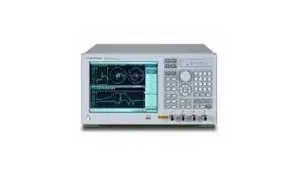
Repair prices
E5071B Specifications – click to expand
E5071B Specifications
- ENA-series vector network analyzer
- Windows-based with color display, LAN, USB and GPIB interfaces
E5071B Options – click to expand
E5071B Options
- 213/214, 2-Port. 313/314, 3-Port. 413/414, 4-Port (xx4 adds bias tees)
- 008, Frequency Offset
- 1E5, High-Stability Frequency Reference
Agilent / HP E5071B Error Codes – click to expand
Agilent E5071B Error Messages
Error and fault messages for the Agilent E5071B network analyzer (8.5 GHz), with the assemblies the service manual points to. Errors show on a red bar at the lower left; numbered ones can be read over GPIB.
E5071B notes
- The E5071B runs a power-on self test at every start; a failure is reported as error 241 and broken down by the internal test in the service menu.
- If the rear fan does not run, the A50 power supply is suspect; check the +3.3 V / +5 V monitor LEDs on the A21 board.
E5071B hardware errors
| Error | Message | Meaning |
|---|---|---|
| 220 | Phase lock loop unlocked | A synthesizer PLL lost lock during measurement. The service manual points to the A1 source board. |
| 241 | Power on test failed | The power-on self test found a hardware fault. Run the internal test from the service menu; the first failed test identifies the board (A1 source, A2 receiver (A15 RF / A17 IF boards), A3 level vernier, A4 power amp, A6 switch/temperature control, A7 attenuator). |
| 240 | Calibration data lost | The system calibration file is missing or damaged at startup. The analyzer needs its adjustment data restored or regenerated. |
| 221 | Port 1 receiver overload | Too much power into port 1. If it appears with nothing connected, the analyzer is faulty. |
| 222 | Port 2 receiver overload | Same as 221 for port 2. |
| 223 | Port 3 receiver overload | 3- and 4-port options only. |
| 224 | Port 4 receiver overload | 4-port options only. |
| 61 | Power unleveled | Requested output power is outside the leveling range after correction. |
| 60 | Continuous switching may damage source attenuator | Different source power ranges on several channels keep the attenuator switching (Options 214/314/414). Not a fault, but wears the A7 attenuator. |
| — | Fatal Error: Failed to Initialize DSP / DSP Driver | The A21 analog interface board or A20 digital motherboard did not start. Also shown after a failed firmware update. |
| — | Fatal Error: Failed to Update DSP Code | Writing DSP firmware to flash on the A21 analog interface board failed; reinstall firmware, then suspect A21 analog interface board or A20. |
E5071B calibration, file and setup errors
| Error | Message |
|---|---|
| 20 | Additional standard needed |
| 22 | Calibration method not selected |
| 30 | Valid ECal module not found |
| 31 | Failed to configure ECal module |
| 41 | Peak not found |
| 53 | Log sweep requires 2 octave minimum span |
| 100 | Failed to read file |
| 101 | Failed to write file |
| 105 | Recall failed |
| 106 | Save failed |
| 120 | Printer error |
| 200 | Option not installed |
SCPI error ranges
| Range | Class |
|---|---|
| −100 to −199 | Command errors |
| −200 to −299 | Execution errors |
| −300 to −399 | Device-specific errors |
| −400 to −499 | Query errors |
Hardware error on your E5071B? Analyzer Repair Inc. repairs and calibrates the Agilent E5071B in-house in Cocoa, Florida. Free estimate once the unit is in our lab. Contact us for service.
Based on the Agilent E5070B/E5071B ENA Service Manual (E5070-90370).
Agilent / HP E5071B Replaceable Parts – click to expand
Agilent E5071B Replaceable Assemblies and Part Numbers
Major replaceable assemblies for the Agilent E5071B, from the Agilent E5070B/E5071B ENA Service Manual (E5070-90370).
| Reference | Assembly | Agilent part number | Notes |
|---|---|---|---|
| A1 | Source board | E5071-66571 | Exchange E5071-69571 |
| A3 | Level vernier | E5071-61003 | |
| A4 | Power amp module | E5071-65008 | Options 31x, 41x |
| A4 | Power amp module | E5071-65009 | Options 213, 214 |
| A15 | Receiver RF board | E5071-61015 | Exchange E5071-69015 |
| A17 | Receiver IF board | E5071-66517 | |
| A5 | Crystal oven (high stability reference) | E4991-66505 | Option 1E5 |
| A6 | RF switch / temperature controller | E5070-66586 | |
| A7 | Source step attenuator | See service note E5071B-12C | Options 214, 314, 414 |
| A8 | RF switch, SPDT | 5087-7137 | Options 21x/31x/41x; 5087-7272 from serial prefix MY422 |
| A20 | Digital motherboard | 0960-2432 | Later serials |
| A21 | Analog interface board | E5070-66521 | |
| A22 | Front panel keyboard (with video card) | E5070-66522 | |
| A23 | Handler I/O board | E5070-61006 | Early units E5070-66523 |
| A24 | GPIB card | E5070-61007 | Early units 5185-3792 |
| A26 | LCD interface card | 54810-66525 | |
| A27 | Hard disk drive | E5070-82201 | |
| A28 | Floppy disk drive | 0950-3334 | |
| A33 | USB adapter | E5070-66533 | |
| A50 | Power supply | 0950-4773 | |
| A52 | Inverter | 0950-4091 | |
| — | Analog motherboard | E5070-66540 | |
| — | LCD assembly | E5070-60101 | Touch-panel LCD E5070-60102 with Option 016 |
Part obsolete? Many E5071B assemblies are no longer sold new. Analyzer Repair Inc. repairs E5071B boards and RF modules at the component level in Cocoa, Florida. Free estimate once the unit is in our lab. Contact us for service.
From the Agilent E5070B/E5071B ENA Service Manual (E5070-90370).